Posts Tagged ‘Firefox’
Firefox vs Chrome vs IE
Last Updated on Tuesday, 8 November 2011 08:19 Written by Naota Tuesday, 8 November 2011 07:42

Here is a great little comic showing the battle between browsers – Firefox, Chrome, and Internet Explorer. Click the image to see it larger.
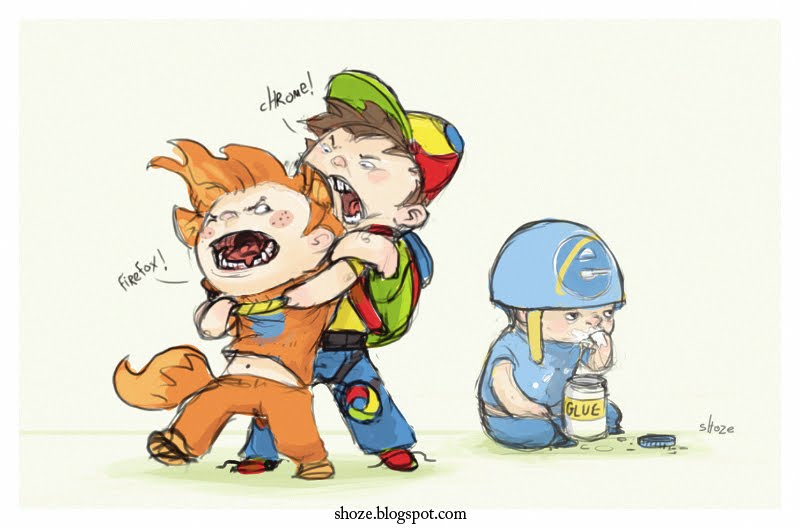
As many of you know, Internet Explorer is losing market-share more and more as time goes on. Chrome is taking market share from both browsers, but Firefox is hanging in there.
How to Save Tabs When Exiting in Firefox 4.0
Last Updated on Tuesday, 29 March 2011 01:40 Written by DarkKnightH20 Tuesday, 29 March 2011 01:40

I’m a Google Chrome user. There, I admitted it! So when I found out (late) that Firefox 4.0 had been out, I decided to go ahead and upgrade my Mozilla Firefox. All was well, except for some incompatible addons, but no biggie — as I said, I am a Google Chrome user.
The new version looked okay…except for one thing. The option to save your tabs when closing / exiting Firefox was missing! This was a feature I loved to use in Firefox so it was bothersome to see it gone. The message box / dialog box that normally pops up when you attempt to close Firefox no longer was there. If I had used the beta or alpha versions of Firefox 4.0, then I’d have been aware of this ahead of time. D’oh!
Luckily, you can easily fix it without having to install a patch, addon / add-on, or extension. Follow this micro guide I created:
Step 1) Open a new tab and in the address bar type in about:config
Step 2) In the “filter” textbox, type browser.showQuitWarning
Step 3) There should be only ONE item in the list now, which is the showQuitWarning option that you typed into the filter…double click this so that it changes from FALSE to TRUE
Done. Easy, right? It *should* be available more easily than this, but for whatever reason was not. That said, it WILL be taken care of by the Firefox development team so do not worry! They listen to their feedback and are already on top of it.
Tags: Firefox, Software | Posted under News | 3 Comments
Firefox 4.0 Beta 11 Released
Last Updated on Wednesday, 9 February 2011 08:29 Written by Naota Tuesday, 8 February 2011 06:32

Firefox has released Beta 11 of Firefox 4.0. Recently confirmed by Mozilla, there will be 12 Betas total. If you have not updated lately and are a Firefox 4 Beta User then I suggest you do. It usually takes a few days for all of Mozilla’s download mirrors to update, but you should be able to get it now.
You can download Firefox 4.0 Beta 11 here. If the download doesn’t load or redirects to a “Page Not Found”, go back and try again. There are literally a ton of different mirrors that the page will automatically try to pull from and not all of them are updated.
Despite Mozilla claiming that they will not “add” anything… they went ahead and did. In this new iteration you will find a “do not track” option. You can find this capability and enable it by going to the “Advanced” screen of Firefox’s Options.
As you know, this has been a very hot topic lately because advertisers and publishers are worried that they will receive less income as a result. This essentially stops ads from finding how what other sites and items you might have visited, prompting ads related to you.
Personally, as long as this is not enabled by default, people who would go out of their way to find this option are more than likely to have an ad blocker anyway.
What is new in Beta 11
- Support for the proposed Do Not Track (“DNT”) header
- Connection status messages are now shown in a small overlay
- WebGL has been re-enabled on Linux
- The default homepage design has been refreshed
- Firefox no longer switches into offline mode automatically
Tags: Firefox, Mozilla | Posted under Downloads | No Comments
Google Chrome 7 To Be 60 Times Faster – Firefox 4 Increases Speed Too
Last Updated on Sunday, 19 September 2010 01:13 Written by DarkKnightH20 Sunday, 19 September 2010 12:48
New GPU acceleration that will be available for Google Chrome 7 helps the browser become 60 times faster than Chrome 6, as reported by Google.
“This system picks the best graphics API to use on each OS that Chromium supports: Windows XP/Vista/7, Mac OS and Linux,” — James Robinson & Gregg Tavares, Chromium Blog
This will assist in not only 2D graphics, but 3D graphics as well. An example video of Google Chrome 7 can be seen below. While it doesn’t look particularly impressive, it certainly is assisting in helping the aquarium demo run at its maximum potential in FPS (frames per second). A stable build of Google Chrome will be available this fall, however the developer’s build is already available.
“We’re excited to give developers fast 2D graphics, but we think truly hardware accelerating graphics on the Web means giving developers access to a programmable 3D graphics pipeline with WebGL. With WebGL and 3D CSS, developers can create modern games, impressive photo galleries, 3D data visualizations, virtual environments, and whatever else they can dream up.”
Tags: Chrome, Firefox, Google | Posted under News | No Comments
Firefox Plugin: Protection from Flash Attacks
Last Updated on Friday, 9 July 2010 05:16 Written by DarkKnightH20 Monday, 12 July 2010 10:00
Hackers exploit many different types of vulnerabilities in attempts to attack other users. Many of these attacks happen to be browser based since it is easy to get people to go to web pages. Of these browser attacks, many use Adobe Flash vulnerabilities instead of browser-specific vulnerabilities. A plugin for Firefox, called Blitzableiter, was created in an attempt to prevent Flash-related hacking attempts. Basically, the plugin reads the SWF file and attempts to sanitize the code, parsing each piece, then recreates a safe SWF for your browser to load instead. Very cool!